Building an AI Contract Review Playbook
A professional guide to implementing AI-assisted contract review workflows, from template standardization to secure human-in-the-loop operations.
Last updated: 2026-04-30
The “Contract Review Gap” is a silent killer of SMB efficiency. When your legal or operations team is buried under NDAs, MSAs, and vendor agreements, the review cycle often takes days, stalling deals and frustrating stakeholders. While the goal is to reach a signed contract, the operational reality is often bottlenecked by manual, repetitive line-by-line redlining that drains internal resources.
Implementing an AI-assisted contract redlining workflow is no longer just about using a chatbot—it is about building an automated operations engine. By integrating Large Language Models (LLMs) into your document lifecycle, you shift the burden from manual scrutiny to “exception-based management,” where humans only engage with high-risk deviations.
The Operational Bottleneck: Manual vs. Automated Triage
Most SMBs approach contracts as serialized, artisanal tasks. An attorney or contracts manager reads a 20-page document from start to finish, checking against a mental model of “standard” clauses. This approach does not scale. As volume increases, the frequency of “human error” due to fatigue rises, leading to missed liability caps or unfavorable renewal terms.
A mature operations model treats contract review as a data-processing pipeline. Instead of reviewing every word, your objective is to categorize the contract based on its risk profile:
- Standard: Documents that match your “golden template” with minor changes.
- Acceptable Variance: Documents with non-standard language that still falls within your predefined risk appetite.
- High-Risk/Exception: Documents containing onerous indemnity, liability, or termination clauses that require senior legal sign-off.
By automating the tier-one triage, you allow your team to ignore the “Standard” 80% and focus their expertise entirely on the “High-Risk” 20%.
Standardization of Contract Templates
AI is only as effective as the ground-truth data you provide. If your company lacks standardized templates and a clear “playbook” of acceptable language, AI will struggle to distinguish between a harmless change and a legal vulnerability.
Before building any automation, you must consolidate your “Company Standard.” This requires three distinct phases:
Phase 1: Clause Extraction
Identify the specific sections of your MSAs or NDAs that are non-negotiable. Break your contracts down into a modular library of “Approved Clauses.” Use a content management system to store these as versioned text files or a structured database.
Phase 2: The “Risk Budget”
Define the threshold of what alternative language is acceptable for each clause. For example: “If a Customer requests a liability cap of $1MM, auto-approve if current revenue is >$500k; escalate for legal review if it falls below this metric.” This logic forms the “System Prompt” architecture of your AI.
Phase 3: Structured Documentation
Move from static Word documents to structured data formats where possible. If your contracts are sent as PDFs, invest in high-fidelity OCR tools that preserve table structures and clause hierarchy, as these are critical for AI to accurately parse indemnity tables.
Designing the AI-Assisted Review Workflow
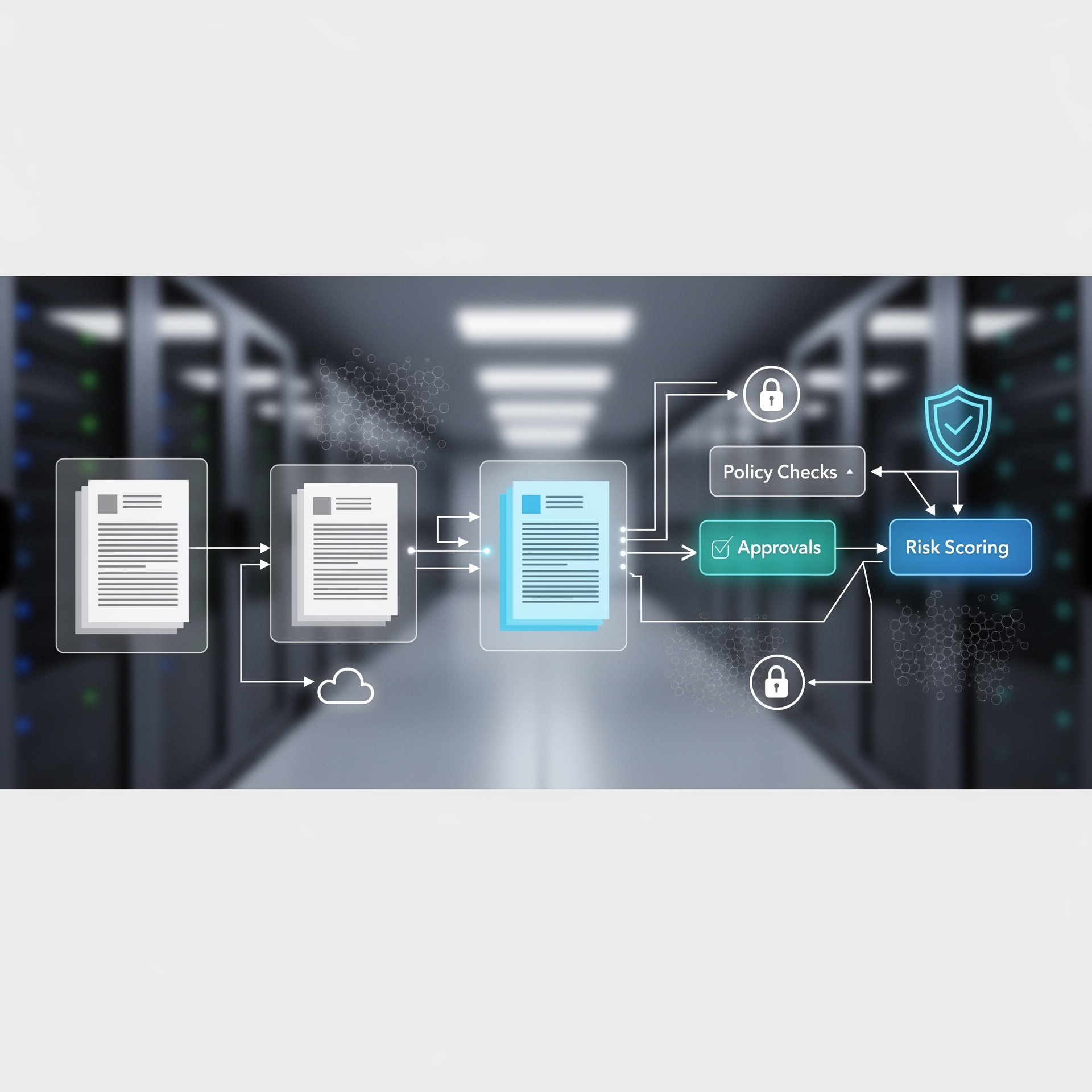
To make this functional, you need a document pipeline that handles the transition from “Document Ingested” to “Review Complete.”
The Ingestion Trigger
Your workflow should start wherever your contracts originate—typically email attachments, shared drives, or a CRM-integrated web form.
- Tooling: Use automated triggers (e.g., n8n, Python FastAPI wrappers, or custom integration scripts) to watch specific folders.
- Security: Ensure that the transmission and storage are encrypted. If using public cloud providers, ensure that the data processing agreement (DPA) explicitly forbids the use of your documents for model training.
The Human-in-the-Loop Architecture
AI should never execute final sign-off. Your workflow must follow a “Human-in-the-Loop” architecture:
- AI Analysis: The model compares the incoming contract against your template.
- Redlining: The AI generates a “Review Report” highlighting risky clauses and suggesting replacement text.
- Drafting: The AI generates the redlined version of the document (or a redline summary document).
- Human Review: An operator reviews the AI’s suggestions and makes the final edit.
The Tooling Stack & Custom Build Decisions
You have two paths for implementation: purchasing specialized legal AI suites or building a custom agentic stack.
Specialized Legal AI Suites
These platforms offer pre-trained models tuned for legal vernacular.
- Built-in Clause Libraries: They often come with pre-populated legal knowledge, accelerating setup.
- Audit Trails: Detailed logs are often built-in, which is vital for compliance.
- ❌ Limitation: These platforms can be expensive and lock you into their specific interpretation of legal logic.
The Custom Agent Stack (n8n + LLMs)
For SMBs with specific operational nuances, a custom build offers more flexibility.
-
Orchestration: Use a low-code tool like n8n or a serverless function structure to connect your email, cloud storage, and your AI model.
-
Model Choice: Pair your workflow with fine-tuned models like GPT-4o, Claude 3.5 Sonnet, or local models if your privacy requirements are strict.
-
Modularity: You can easily swap components if you decide to upgrade to a newer model or integrate a new legal database.
-
✅ Advantage: Total control over the workflow and cost-effective scaling for various contract types.
-
❌ Limitation: High maintenance requirement; your internal operations team becomes the administrator of the system.
Operational Rollout & Governance
Implementing an AI legal operations strategy is an organizational change, not just a technical one.
The Three-Phase Rollout
- Shadow Pilot (Weeks 1-4): Run the AI assistant in parallel with human reviewers without letting the AI edit the live documents. Compare the AI’s flags to the lawyer’s edits.
- Calibration Phase (Weeks 5-8): Adjust the system prompt based on the discrepancies found during the shadow phase.
- Assisted Workflow (Week 9+): Shift to letting the AI draft the first pass of the redlines, with the human employee performing the final QA.
Escalation and Alerting
Define a “dead-stop” logic. If the AI identifies a clause that is marked as “Critical Risk” or if the model produces an output with low confidence scores, the workflow should automatically route the document to the Head of Legal via a priority notification channel (e.g., Slack or Email alert).
Managing Risks, Privacy, and Compliance
Legal data is the most sensitive information an SMB handles. When moving into AI-assisted review, you must prioritize the security lifecycle:
- PII Redaction: Before feeding a contract to an LLM, implement a pre-processing step that scrubs PII (Personally Identifiable Information) or sensitive client data if it isn’t necessary for the clause analysis.
- The Zero-Retention Guarantee: Verify that your AI provider’s enterprise API terms include a “Zero-Retention” policy. This ensures that your prompts and data are not stored or used for training.
- Managing AI Hallucinations: Even the best LLMs can misread complex, nested clauses. Your “Human-in-the-Loop” MUST read the original document side-by-side with the AI output. Treat the AI as an intern—it is fast and provides a valuable first pass, but it is prone to creative interpretation if the context is ambiguous.
Implementation Checklist
- Data Audit: Identify your top 5 high-frequency contract types.
- Template Consolidation: Finalize the “Golden Version” of your templates.
- Infrastructure Selection: Choose between a managed platform or an LLM API builder.
- System Prompting: Create a detailed instruction set for the AI that outlines your company’s risk appetite.
- Shadow Pilot: Run a 30-day side-by-side test comparing AI redlines against manual work.
- Final Sign-off Protocol: Document that no contract moves to execution without a human-checked file.
Evaluating Success and Iteration
Once the system is live, your operations manager must continuously audit the effectiveness of the AI agents. Use these three metrics to gauge health:
- Redline Acceptance Rate: What percentage of AI-generated redlines were accepted by the human reviewer without changes? A low rate indicates the model doesn’t understand your business rules.
- Turnaround Time (TAT) Variance: Track the speed difference between contracts that utilize AI versus manual review.
- Escalation Frequency: If the AI is flagging everything as “critical risk,” your system prompts may be too sensitive, causing “alert fatigue” and defeating the purpose of automation.
Why SMBs Struggle with AI Adoption
Many SMBs fail in the implementation phase because they treat AI as a “plug-and-play” solution. The reality is that the “AI” part is only 20% of the work. The remaining 80% involves cleaning up your internal processes, documenting your legal standards, and training your team to trust but verify.
If you don’t have a clear standard that you can explain to a human assistant, you cannot explain it to an AI agent. Start by documenting your process for a single contract type (e.g., NDAs). Once the logic for that document type is stable and the AI is accurately identifying high-risk clauses, you can move to more complex instruments like Master Service Agreements or Employment Contracts.
Frequently asked questions
- How can we trust AI with complex indemnity clauses? AI should act as a redlining assistant, not a final decision-maker. Always maintain a human-in-the-loop for high-risk liability clauses. The AI highlights the area of concern; the human provides the legal judgment.
- What is the difference between a Contract Review Agent and simple clause extraction? A simple extractor pulls information. An agent analyzes that information against your business rules, creates redlines, and manages the document workflow, providing a proactive “Review Report” rather than just a summary.
- Can we run this locally to avoid privacy risks? Yes, using models like Llama 3 or Mistral via local or private cloud environments (like an AWS VPC) can keep sensitive contract data off public cloud servers, though it requires more infrastructure maintenance from your IT team.
- How do you measure the time saved per contract? Track the delta between total turnaround time (TAT) per contract type for manual versus AI-assisted processes. Additionally, measure the reduction in “revision cycles”—the fewer times a document goes back to a counterparty, the higher your efficiency gain.
Related articles
How useful was this article?
Can you briefly tell us what could be better?
Get AI updates?
One practical tip per week. No hype, only useful comparisons and workflow insights.